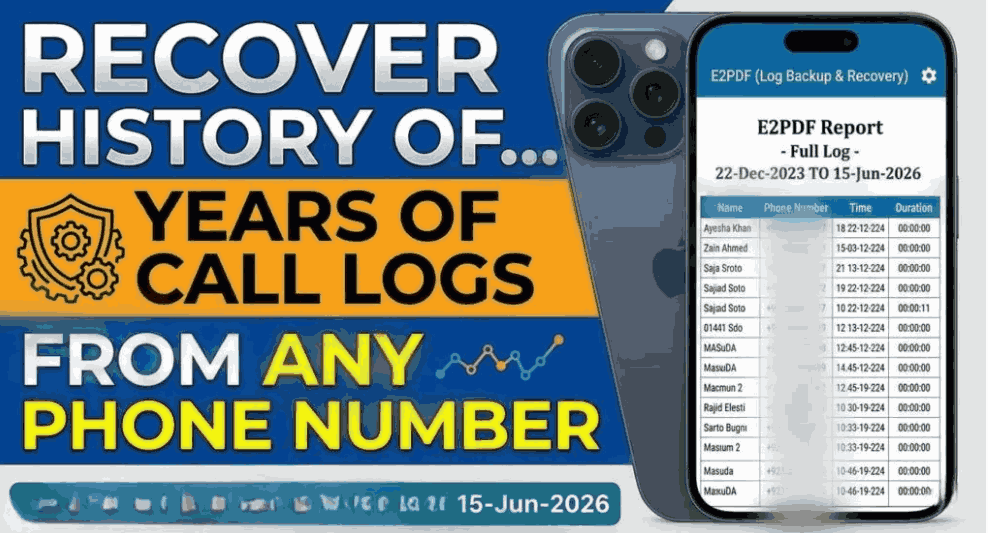
A few months ago, I needed to check an old phone call because I couldn’t remember exactly when I’d spoken to someone. The call wasn’t showing where I expected it, and I initially assumed there must be some hidden setting that would reveal every detail.
That turned into a useful lesson: there isn’t a legitimate magic code or app that can show the private call history of any SIM card you choose. Your own call records can usually be checked through your phone, mobile network account, or an official itemized bill. Someone else’s records are private and normally require their permission or proper legal authorization.
If you’re trying to recover the call history of your own SIM, here’s what actually works in 2026.
What Call History Details Can You Get?
The information available depends on where you’re checking it.
Your phone’s call log may show:
- Incoming calls
- Outgoing calls
- Missed calls
- Phone numbers
- Date and time
- Call duration
- Sometimes whether a call was made using a particular SIM
Your mobile operator may provide additional account-level information, such as:
- Outgoing call records
- Incoming-call information where the operator makes it available
- Date and time
- Call duration
- Numbers involved
- Usage or billing information
One important difference is that your phone’s call log and your carrier’s records aren’t necessarily identical.
For example, if you deleted a call from your phone, the carrier may still retain certain billing or usage records according to its policies. On the other hand, not every call detail is necessarily available to customers through the carrier’s normal app or website.
Method 1: Check the Phone’s Call History
This is the easiest method and the one I recommend trying first.
On Android
The exact menu can vary between Samsung, Xiaomi, Infinix, Tecno, Oppo, Vivo, Google Pixel, and other phones.
Generally:
- Open the Phone app.
- Tap Recents, Call History, or a similar option.
- Find the number you’re looking for.
- Tap the number or the information icon.
- Check the available date, time, and duration details.
If your phone supports multiple SIM cards, pay attention to the SIM indicator. Some phones display which SIM was used for an outgoing call.
On iPhone
Open the Phone app and select Recents.
You can tap the information button beside a call to see additional details available in the device’s call history.
This method is particularly useful when you only need to check a recent call rather than retrieve a long-term record.
Method 2: Check Your Mobile Network Account
If you need older records, the official mobile network account is a better place to look.
In Pakistan, customers may use their operator’s official app, website, customer service channel, or service center depending on the network and the type of information requested.
The general process is:
- Open your mobile operator’s official app or website.
- Sign in using the account associated with your own SIM.
- Look for sections such as Usage, Call Details, History, Billing, or Account Details.
- Select the relevant period if the option is available.
- Follow the operator’s verification process.
The names of these sections can change when an app is updated, so don’t worry if you don’t see a button literally called “Call History.”
Also, don’t enter your SIM information into a random website that promises to reveal call records. That’s one of the biggest mistakes people make.
Method 3: Ask the Network Operator
Sometimes the information you need isn’t available inside the app.
In that situation, contact your network operator through its official customer-care channel or visit an authorized service center.
Be prepared to verify that you are the legitimate account holder. Depending on the operator and the request, you may need account information or identity verification.
You can explain exactly what you’re looking for:
“I need the available call-detail or usage record for my own number for a particular period.”
That’s much better than asking for “any SIM’s complete history,” because telecom providers have privacy and security rules around customer records.
What If You Deleted the Call History?
This is where things get slightly complicated.
Deleting a call from your phone doesn’t necessarily mean the corresponding telecom record has disappeared immediately. However, there is no universal Android or iPhone trick that can restore every deleted carrier record.
Before installing recovery software, check these places:
1. Your phone backup
If you use a phone backup service, an older backup may contain relevant device information. Restoration options vary, so don’t erase your current phone just to experiment with an old backup.
2. Your carrier account
If the call was associated with your own mobile account, check the operator’s usage or billing records.
3. Your bills or statements
If you’ve previously received itemized statements, older records may still be available there.
One thing I learned the hard way is that “deleted from the phone” and “deleted from the network” are two different things. They’re separate systems.
Can an App Show Call History of Any SIM?
Be extremely careful with apps making this claim.
An app installed on your phone can potentially access certain call-log information if you grant it the appropriate permission. But that does not give the app access to the private telecom records of every SIM card.
A website or app claiming that you can simply enter another person’s phone number and instantly download their complete call history should be treated as a major red flag.
Some of these services may be trying to collect:
- Phone numbers
- Login credentials
- Personal information
- Payment details
- Verification codes
Never provide an OTP, account password, or SIM verification code to an unknown service claiming it can unlock someone else’s call records.
Can You Get Someone Else’s Call History?
Normally, not just because you know their phone number.
Call records are private customer information. If you’re trying to check the records belonging to another person, the appropriate route is to get their permission and have them access their own account or provide the records themselves.
There can also be situations involving lawful requests or authorized investigations, but those aren’t something an ordinary third-party website can bypass.
So if a YouTube video says something like “enter any number and see complete call history instantly,” don’t assume it’s genuine.
A Realistic Example
Imagine you accidentally deleted a call from your own SIM on Monday and need to know when it happened.
I’d approach it in this order:
First: Check the Phone app’s Recents section.
Second: If it’s gone, check whether your mobile operator provides usage or call-detail information through its official account tools.
Third: Contact the operator if you need an older or more specific record.
Fourth: If the record concerns another person’s SIM, ask that person to obtain it through their own account rather than trying to bypass their privacy.
This approach is slower than a “secret code,” but it’s far more reliable.
Common Mistakes to Avoid
Installing random call-history apps
Not every app claiming to recover deleted calls is trustworthy. Read the permissions carefully before installing anything.
Sharing OTP codes
Never give a one-time verification code to someone promising to retrieve call details.
Assuming IMEI reveals call history
An IMEI identifies a mobile device; it isn’t a magic key for downloading a SIM’s private call records.
Believing secret USSD codes
Some network codes provide useful account or balance information, but there isn’t a universal secret code that legitimately exposes another subscriber’s complete call history.
Paying for fake “SIM tracker” websites
A website asking for money before showing someone else’s private call records is a serious warning sign.
What About WhatsApp and Messenger Calls?
There’s another common point of confusion.
A mobile operator’s normal call records and internet-based calls aren’t necessarily the same thing.
A WhatsApp voice call, for example, uses an internet connection rather than the traditional cellular voice channel. You may see information about it inside WhatsApp, while it won’t necessarily appear as a conventional cellular voice call in your carrier’s itemized call record.
The same basic idea applies to other internet calling services.
The Safest Way to Recover Your Own Records
If the SIM belongs to you, keep things simple:
- Check your phone’s call history.
- Check your operator’s official app or account.
- Look at available bills or usage statements.
- Contact official customer support for older records.
- Keep your account credentials and OTPs private.
If you regularly need call records for work or accounting, it’s also worth keeping your own records rather than relying entirely on the phone’s Recent Calls list.
Final Thoughts
Getting call-history details for your own SIM in 2026 is usually straightforward, but there isn’t a legitimate universal trick for viewing the private records of “any SIM card.”
The best method depends on what you’re trying to recover. For a recent call, your phone’s call log is usually enough. For older usage information, your mobile operator is the more appropriate source.
And if you come across a site promising complete call records for any phone number with just one click, I’d stay away. In my experience, the biggest problem isn’t finding a “secret trick”—it’s avoiding the scams built around people searching for one.
For your own number, stick with your phone, your carrier’s official services, and proper account verification. That’s the boring method, but it’s also the one you can actually trust.