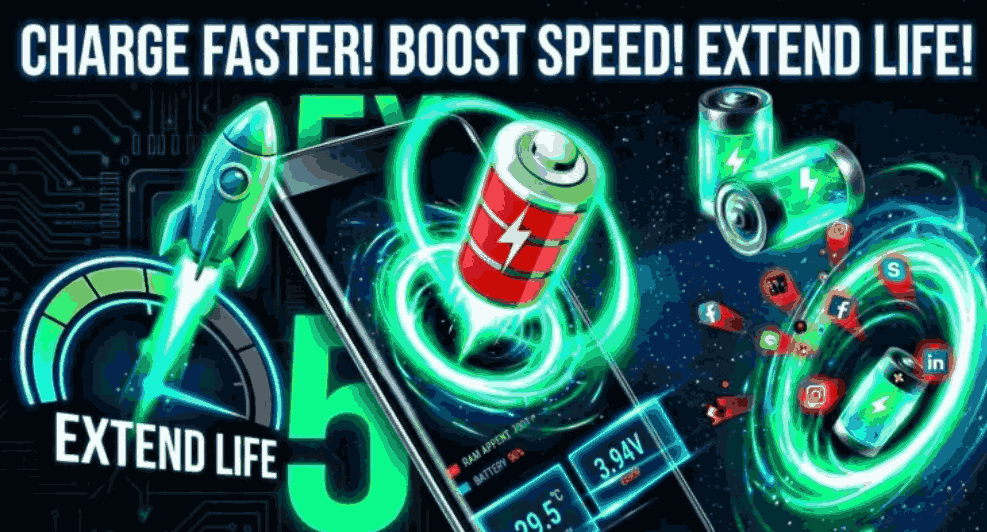
The first time I really appreciated fast charging was on one of those mornings when I had almost no battery left and only a few minutes before leaving the house. My phone was sitting at around 12%, I plugged it in while getting ready, and by the time I had found my keys and put my shoes on, the battery had climbed enough to get me through a big part of the day.
That experience changed how I looked at smartphone charging.
Fast charging isn’t just about seeing a big wattage number on a phone’s specifications sheet. The charger, cable, phone, battery temperature, charging protocol, and even what you’re doing while the phone is plugged in can affect the actual result.
I’ve also learned the hard way that using the most powerful charger you can find isn’t always the best idea. Sometimes a cheaper or poorly matched charger makes the phone charge slowly, gets unnecessarily hot, or behaves inconsistently.
Here’s what I recommend checking if you want to get the best fast-charging experience from your smartphone in 2026.
What Does Fast Charging Actually Mean?
Fast charging simply means a phone can put more electrical power into its battery over a given period than a traditional low-power charger.
Older phone chargers often delivered relatively modest power. Modern smartphones can support considerably higher charging speeds, depending on the model.
You may see numbers such as 18W, 25W, 33W, 45W, 67W, 80W, 100W, or even higher advertised by manufacturers.
But there’s an important detail: your phone doesn’t necessarily charge at the maximum wattage written on the charger.
For example, if your phone supports 25W charging and you connect it to a 100W compatible charger, the phone normally won’t suddenly charge at 100W. The phone and charger communicate and select an appropriate charging level.
That’s why buying an extremely powerful charger isn’t automatically an upgrade.
The Charger Matters More Than I Initially Thought
One mistake I made was assuming that any USB-C charger would give me the same result.
It didn’t.
I had one charger that looked perfectly fine and worked normally for basic charging. However, when I compared it with the charger designed for my phone, the charging time was noticeably different.
This happens because chargers can support different charging standards and power profiles.
Depending on your phone, you may encounter technologies such as USB Power Delivery (USB-PD), PPS, Qualcomm Quick Charge, or a manufacturer’s own proprietary charging system.
The important lesson is simple:
Check what charging standard your particular phone supports before buying a charger.
A good-quality charger that properly supports your phone can be a much better choice than simply buying the charger with the biggest number printed on the box.
Your USB Cable Can Also Be the Problem
This one is easy to overlook.
If your phone supports high-speed charging but your cable isn’t suitable for the required power level, you may not get the expected charging speed.
I’ve seen situations where changing the cable made more difference than changing the charger.
When shopping for a replacement USB-C cable, look at its advertised power capability and specifications instead of choosing purely based on appearance or price.
Also inspect older cables for:
- Frayed or damaged insulation
- Loose USB connectors
- Bent plugs
- Intermittent charging
- Excessive heat around the connector
A damaged cable isn’t worth keeping just because it still technically charges your phone.
How to Check Whether Fast Charging Is Working
You don’t always need a special app to determine whether fast charging is active.
Most Android phones display charging information on the lock screen or notification panel. Depending on the manufacturer, you might see terms such as:
- Fast charging
- Super fast charging
- Rapid charging
- Turbo charging
- Charging rapidly
The exact wording varies between brands.
Some Android manufacturers also provide battery information inside Settings. If your phone doesn’t clearly display the charging mode, you can compare battery percentage over a fixed period under similar conditions.
For example, charge the phone for 15 minutes with the screen mostly off and note the percentage increase. Then repeat with another charger and cable.
It’s not a laboratory test, but it’s a practical way to compare your own equipment.
A Simple Way to Get Faster Charging
If your phone seems to be charging unusually slowly, try these steps before buying anything.
1. Check the charger
Look at the charger specifications and confirm that it supports the charging standard and power level your phone requires.
If you’re using a random old adapter, this is one of the first things I’d test.
2. Check the cable
Try the original cable that came with the phone if you still have it.
If that isn’t available, use a reputable cable designed for the power level you’re trying to achieve.
3. Keep the phone cool
Heat is one of the biggest enemies of fast charging.
If your phone becomes very warm while charging, charging speed may be reduced automatically. That’s a safety and battery-protection feature, not necessarily a problem with the charger.
Avoid charging your phone under a pillow, inside a thick blanket, or somewhere with poor airflow.
4. Stop heavy tasks while charging
Playing demanding games, recording long videos, using navigation continuously, or running other intensive applications can increase heat and power consumption.
If I need my phone charged quickly, I usually leave the screen off and let it charge without doing anything demanding.
The difference can be surprisingly noticeable.
5. Check the charging port
Pocket lint and dust can accumulate inside a phone’s charging port.
If the cable doesn’t sit properly, charging may become unreliable or slower.
Don’t poke aggressively inside the port with metal objects. If the port looks dirty or damaged, have it cleaned or inspected safely.
Why Fast Charging Usually Slows Down Near Full Battery
One thing that sometimes confuses people is seeing the charging speed drop dramatically after the battery reaches a certain percentage.
That’s generally normal.
Smartphones don’t necessarily charge at maximum speed from 0% to 100%.
The phone can accept more power when the battery is relatively low. As the battery approaches a high state of charge, the charging system gradually reduces power to manage heat, voltage, and battery stress.
This means the difference between charging from 10% to 50% and charging from 50% to 100% isn’t simply a matter of doubling the time.
This is also why a fast charger can be especially useful when you’re in a hurry. You don’t always need to wait until the phone reaches 100%.
A short charging session can provide a useful amount of battery.
Does Fast Charging Damage Your Battery?
This is one of the questions I see most often.
Fast charging does create more heat and electrical stress than slower charging, but modern smartphones are designed with charging-management systems that control power and temperature.
That doesn’t mean heat is irrelevant.
If your phone regularly becomes extremely hot while charging, that’s something worth investigating.
Battery aging is affected by several factors, including temperature, charging patterns, battery chemistry, and how the device is used.
Modern phones may also include features designed to reduce unnecessary time spent at 100%. Depending on the manufacturer, you might find options such as optimized charging, adaptive charging, or battery protection.
If your phone has these settings, it’s worth understanding what they do rather than automatically disabling them.
One Habit I Changed After Using Fast Charging
I stopped treating 100% as the only useful charging target.
If I’m leaving soon and the phone is at 20%, I don’t necessarily wait for it to reach 100%.
I’ll plug it in while I get ready and use whatever battery I can gain during that time.
This is one of the biggest practical advantages of fast charging.
You don’t have to think of charging as an overnight process anymore. A short session before leaving home can sometimes be enough to make the difference between constantly looking for a charger and comfortably using your phone.
Common Fast-Charging Mistakes
Using a suspiciously cheap charger
A charger that costs dramatically less than reputable alternatives may not be a bargain if its quality or compatibility is questionable.
For something connected directly to your phone and electrical supply, I’d rather use a reliable charger from a reputable manufacturer.
Assuming higher wattage is always better
A 100W charger isn’t automatically better for a phone that only needs 25W.
Compatibility matters more than the biggest number.
Using a damaged cable
If the cable is bent, frayed, loose, or becomes unusually hot, replace it.
Charging under a pillow
This can trap heat around the phone and charger. Give the device some airflow.
Gaming while expecting maximum charging speed
Your phone is simultaneously consuming power and generating heat. Don’t expect the fastest possible charging performance under heavy workloads.
Buying accessories without checking compatibility
Before purchasing a charger or cable, check your phone manufacturer’s specifications.
What About Power Banks?
Fast charging is also useful when you’re away from a wall outlet.
Modern USB-C power banks can support relatively high charging output, but again, the power bank needs to support a charging protocol compatible with your phone.
There’s another important detail: a power bank’s advertised capacity doesn’t translate directly into the exact amount of battery percentage you’ll receive on your phone.
Energy is lost during voltage conversion and charging, so real-world results are lower than the simple capacity number might suggest.
For travel, commuting, or long days away from home, I prefer a good-quality USB-C power bank with enough capacity for my usage rather than simply choosing the largest number available.
Wireless Fast Charging Is Different
Wireless charging is convenient, but it can behave differently from wired fast charging.
The phone needs to transfer energy through the charging coil rather than receiving it directly through a cable. That process can produce additional heat and may have lower efficiency.
Alignment also matters.
If your phone isn’t positioned correctly on the charging pad, charging can become slower or inconsistent.
For the fastest possible charging when I’m in a hurry, I generally prefer wired charging. For a desk or bedside table, wireless charging is much more convenient.
It’s really a choice between speed and convenience.
How I Would Set Up Fast Charging in 2026
If I were setting up a new phone today, I’d keep it simple.
First, I’d check the phone’s official charging specifications.
Then I’d choose a reputable charger that supports the required standard and power level.
I’d pair it with a properly rated USB-C cable.
After that, I’d enable any useful battery-protection or adaptive-charging features provided by the phone.
Finally, I’d pay attention to heat.
There’s no reason to turn charging into a complicated project. A compatible charger, good cable, reasonable temperatures, and sensible charging habits cover most situations.
Final Thoughts
Fast charging has become one of those smartphone features that you don’t fully appreciate until you need it.
When your battery is nearly empty and you have somewhere to be, being able to plug in for a short time and gain a meaningful amount of battery is genuinely useful.
But getting good charging performance isn’t simply about buying the highest-wattage charger you can find.
Your phone, charger, cable, charging protocol, temperature, and usage all work together.
If your phone isn’t charging as quickly as expected, start with the basics: check compatibility, test the original charger and cable, keep the device cool, and avoid demanding tasks while charging.
Those simple changes can often solve the problem without spending money on unnecessary accessories.
And that’s probably the most useful lesson I’ve learned from using fast charging: the best charging setup isn’t the one with the biggest number on the box. It’s the one that works reliably with your particular phone.